 Plusmark
No app to open
The small Home Screen widget and the rectangular Lock Screen widget have their own + key. One tap and it's counted.
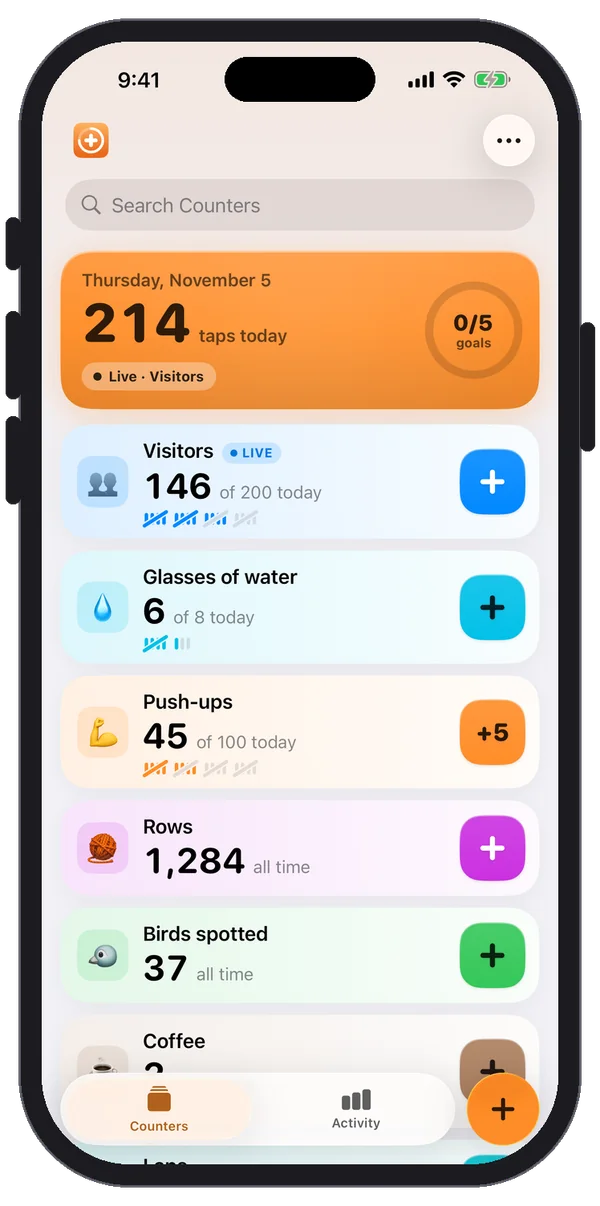
Tap once for every glass. Plusmark keeps a daily goal, starts fresh at midnight and remembers every day before, so you can see how your week really went.


$1.99 onceNo subscription, no ads, no account.
The small Home Screen widget and the rectangular Lock Screen widget have their own + key. One tap and it's counted.
The watch complication adds a glass from your watch face. Or open Plusmark on the watch and tap the pad.
Eight marks fill as you go, "3 to go · today" tells you what's left, and the counter celebrates when you get there.
Activity shows how many of the last 7 days you counted, and your streak once it reaches 2 days.
No, it counts taps. Most people count glasses or bottles; if you prefer amounts, set each tap to add 250 (or 8) and count millilitres (or ounces) instead.
No. Plusmark has no reminders or notifications. The widget and the watch complication keep your count in sight instead.
No. Plusmark doesn't use Apple Health; your counts stay in the app and in your own iCloud.
iPhone, iPad, iPhone Duo and Apple Watch. No subscription, no ads, no account.