 Plusmark
Fast as a clicker
The pad counts on touch-down, one count per finger, so quick taps never merge or get lost.
Count people in at an event, a shop, a church or a classroom. The pad takes every tap the moment your thumb lands, and the Lock Screen counts too.


$1.99 onceNo subscription, no ads, no account.
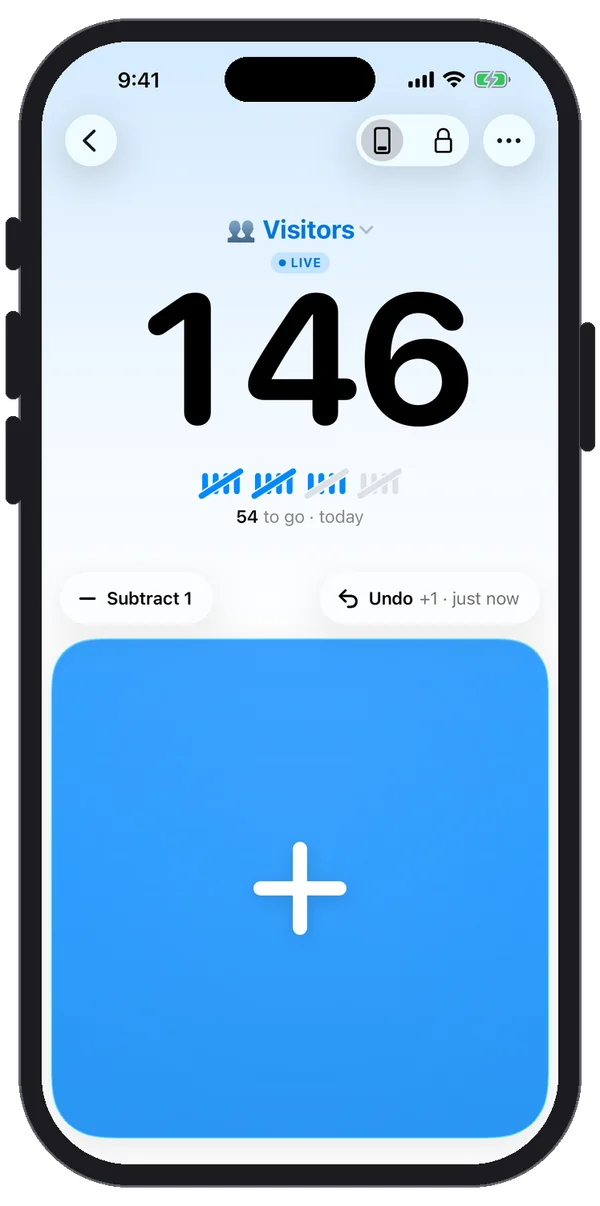
The pad counts on touch-down, one count per finger, so quick taps never merge or get lost.
The Live Activity counts from the Lock Screen and the Dynamic Island while the iPhone stays locked.
An At most goal shows how many are left and gives a warning buzz at the limit.
Put Plusmark on an iPad at the entrance, with a big pad and History beside it.
Only on devices signed in to the same Apple Account: your counters sync through your own iCloud, and taps from two of your devices add up. Plusmark can't share a counter with someone else's account.
Use Subtract 1 for each person leaving, so the number shows who's inside. Or make two counters, In and Out.
Not if you turn on Keep Screen On from the counter's More menu.
iPhone, iPad, iPhone Duo and Apple Watch. No subscription, no ads, no account.